
Highlighting details, beautifully
Loupe Block
The Loupe Block is part of FolioBlocks — a premium WordPress plugin built for photographers, designers, retouchers, and creatives who need a powerful, detail-focused comparison tool directly inside the block editor. Designed to highlight precision and craftsmanship, it’s perfect for showcasing subtle edits, texture enhancements, restoration details, product refinements, and any visual transformation where zoom-level inspection tells the real story.

Block Features
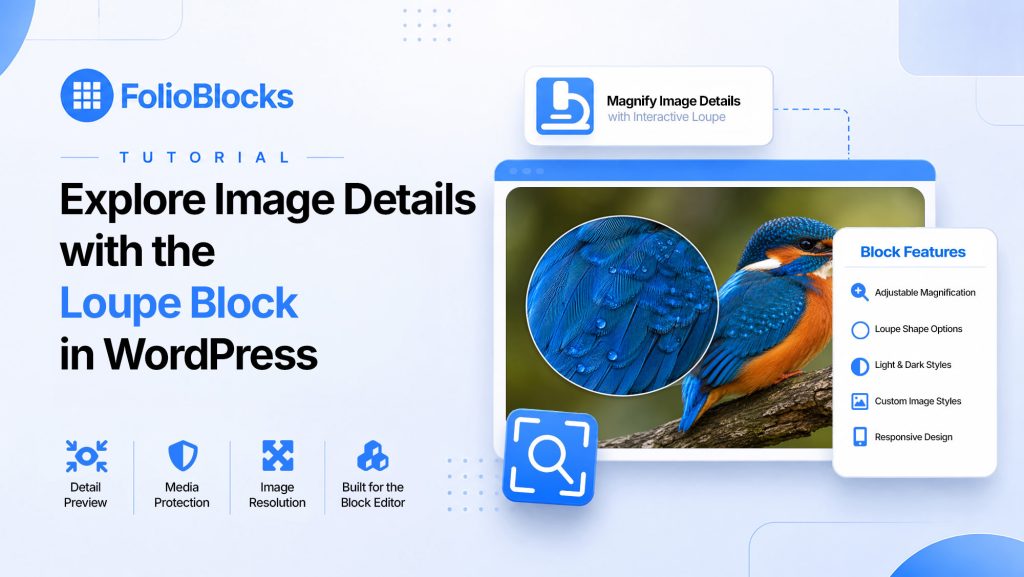
Explore the key features that make the Loupe Block a precise way to reveal image details. From adjustable magnification to shape, theme, responsive behavior, and image styling, it is built for portfolios, product imagery, textures, and close inspection.
Interactive Image Comparison
Give visitors a close-up look at image details with a smooth magnifying loupe effect.
Adjustable Magnification
Control the loupe strength to highlight texture, detail, craftsmanship, or product features.
Loupe Shape Options
Choose the loupe shape that best fits your visual style and page design.
Light and Dark Loupe Styles
Match the loupe interface to bright layouts, dark portfolios, or product-focused pages.
Responsive Image Experience
Keep detail viewing usable across desktop, tablet, and mobile layouts.
Image Resolution Control
Choose the image size used by the block to support crisp magnified details.
Custom Image Styling
Add borders, rounded corners, and shadow effects for a finished presentation.
Media Protection
Use right-click protection when you want more control over how images can be accessed.
For a complete breakdown of what is included in each version, visit the Free vs Pro comparison page to see the full FolioBlocks feature list.
Guides & Tutorials
Learn how to get the most out of this block with our step-by-step tutorials and video guides. Whether you’re just getting started or exploring advanced features, we’ve got you covered.
Frequently Asked Questions (FAQ)
Use the Loupe Block when you want visitors to inspect fine details in an image. It is especially useful for artwork, photography, product textures, maps, documents, prints, fabric, jewelry, or any image where small details matter.
The Loupe Block creates a magnifying effect over the image, letting visitors zoom into a specific area while still seeing the full image around it.
High-resolution raster images such as JPG or PNG work best. SVG files are not supported for the loupe effect.
Yes. It can be very effective for showing material texture, craftsmanship, small details, labels, packaging, and close-up product features.
Yes. FolioBlocks Pro includes appearance controls for the loupe, including shape, theme, size, border, and styling options.
Yes, it is designed to support touch interaction as well as mouse interaction, though the experience may feel different depending on the device.
Get FolioBlocks Pro
Unlock advanced Loupe Block controls with FolioBlocks Pro, including adjustable magnification, loupe shape and theme options, responsive behavior, image styling, resolution controls, and media protection.
Explore More FolioBlocks
Ready to expand your creative toolkit? FolioBlocks includes a range of powerful gallery blocks, each designed to showcase your work in a unique way. Discover the right layout for your projects:
Background Video Block
Immersive responsive video backgrounds that anchor your content with motion. Perfect for hero sections that aim to engage visitors immediately.
Before & After Block
Let viewers interactively compare two images with a responsive slider. Perfect for showcasing retouching, transformations, or visual progress with clarity.
Carousel Gallery Block
Showcase your work in a sleek, horizontally scrolling gallery that draws viewers in one image at a time. Ideal for highlighting standout shots or curated image sequences with impact.
Filmstrip Gallery Block
Showcase images in a focused filmstrip layout with large primary visuals and intuitive navigation. Ideal for portfolios and visual storytelling.
Grid Gallery Block
Create clean, evenly spaced grids that maintain the original aspect ratios of your images. Perfect for portfolios with a strong focus on consistency and structure.
Image Block
Present single images with clean spacing, sharp rendering, and fully controlled styling. Perfect for highlighting key visuals with clarity and impact.
Justified Gallery Block
Create clean, edge-to-edge rows of images that automatically adjust to fit their container, maintaining a balanced, polished layout. Ideal for photographers who want to showcase their work in a professional, cohesive way.
Loupe Block
Give visitors a closer look with a smooth, responsive loupe effect. Ideal for portfolios and product images where highlighting textures, fine details, and craftsmanship is a must.
Masonry Gallery Block
For creative layouts that stack images of various sizes into a stunning, waterfall-like design. Perfect for portfolios with mixed aspect ratios or images that tell a story.
Modular Gallery Block
Mix and match rows of images with full control over spacing and aspect ratios. Build complex, multi-row layouts without compromise, perfect for creative portfolios that break the grid.
Proofing Gallery Block
Create private client galleries where clients can review images, heart favorites, add color flags, and leave comments. Submitted selections are saved as proofing sessions in WordPress so you can review feedback.
Video Block
Showcase videos with a polished, distraction-free presentation that adapts seamlessly to your layout. Ideal for portfolios where motion content needs to feel refined and professionally framed.
Video Gallery Block
Create beautiful, filterable video grids with customizable thumbnails, hover effects, and Lightbox support. Showcase your motion work with style and impact.
What Our Customers Are Saying
FolioBlocks is trusted by photographers, designers, and creative professionals around the world to showcase their work beautifully and effectively. Here’s what a few of our users have to say:

Fantastic
“Setup was quick, and block-based workflow feels natural – drop in a gallery, choose from grid or masonry styles, tweak spacing and captions. Hard to design something that doesn’t look great.”
– Will MacDonald, Developer
Verified Customer

Easy to use with good number of features
“Setup was quick, and block-based workflow feels natural – drop in a gallery, choose from grid or masonry styles, tweak spacing and captions. Hard to design something that doesn’t look great.”
– Donna
Verified Customer

A Wonderful, Full-featured Image/Video Gallery Plugin
“I tested this plugin in beta and was impressed both by how well–and intuitively–it worked “out of the box” and by how responsive its developer was when I had questions. Highly recommend.”
– Josh
Verified Customer

Great plugin and really easy to use.
“Great plugin and really easy to use. The free version is really full featured but the pro version takes it to the next level. Highly recommended.”
– Cyril
Verified Customer

Works great
“Had an opportunity to test this plugin during the beta testing period and it’s really slick. It feels native to WordPress and is incredibly full featured.”
– Johan, Web Developer
Verified Customer

Just what I was looking for!
“The Video gallery block is just want I was looking for to use my website. Straightforward and easy to use.”
– Dave Marshal, Production Designer
Verified Customer
Build Better Galleries With FolioBlocks
Join photographers, designers, and creative professionals using FolioBlocks to create faster, more flexible image and video galleries directly inside the Block Editor.